Domains & multi-language
One site, many domains: staging environments and country versions share the same embed, campaigns and leads.
Allowed domains
For security, the embed only runs on the site's domain, so nobody can reuse your snippet elsewhere. To run it on more domains, open Settings → General → Allowed domains, add each domain and save.
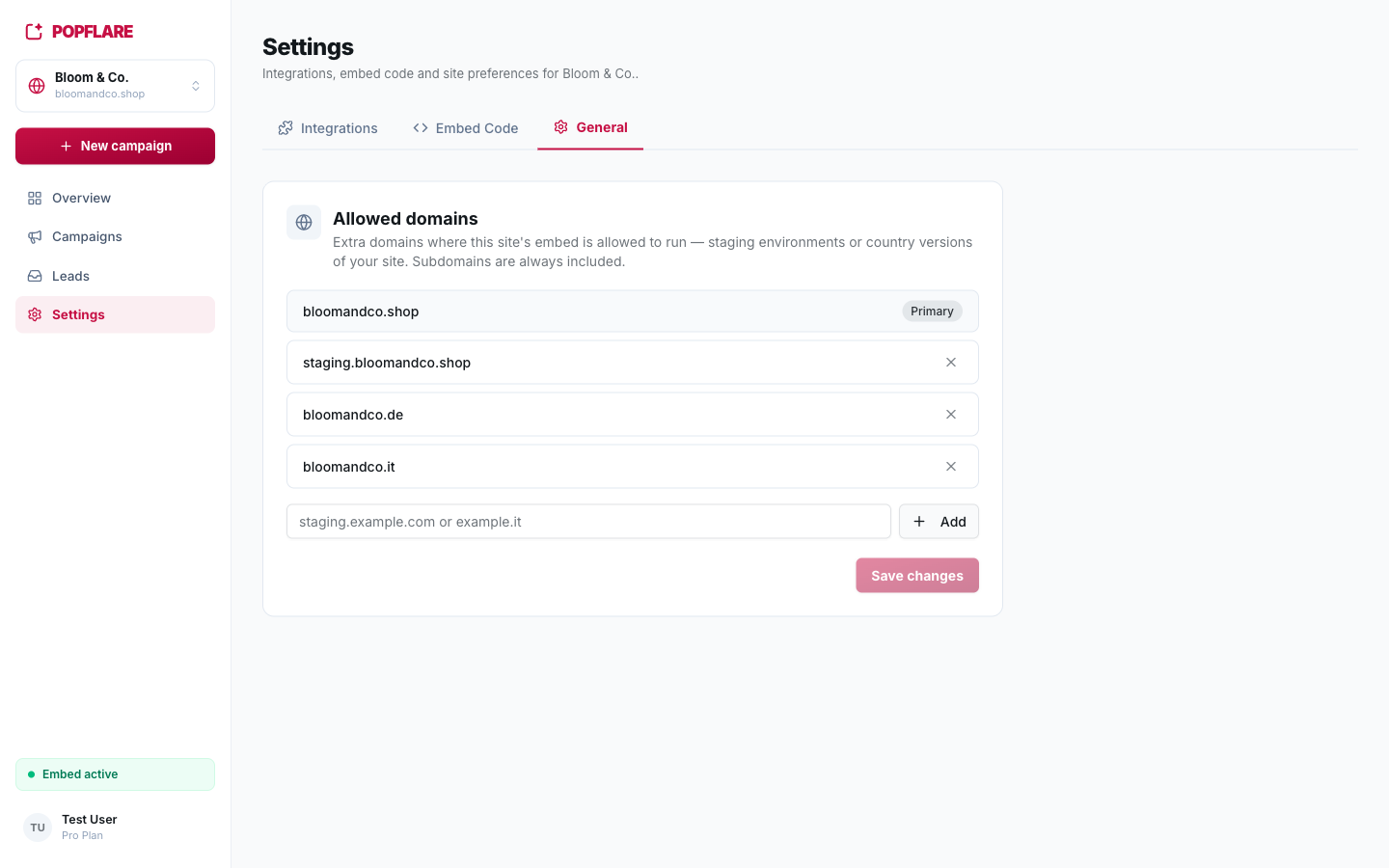
- Enter plain domains, such as
staging.bloomandco.shoporbloomandco.de. Protocols and paths are stripped automatically. - Subdomains are always included: allowing
bloomandco.dealso coverswww.bloomandco.de. - The same snippet (same site key) is used on every allowed domain.
Testing on staging
Add your staging domain, install the snippet there and point a campaign at it with a page rule (for example
URL Contains staging.). You can check the design, the triggers and the integrations end to end
before showing anything to real visitors.
One campaign per language
For a site available in several countries, the cleanest setup is one campaign per language:
- Build and test the first campaign, for example the English one.
- Duplicate it (⋯ menu on the campaign page) once per language: variants, settings and actions are copied.
- In each copy, translate the texts in the editor, including the Confirmation Step and any code.
- In Targeting, add a page rule so each copy only runs on its own domains, for example a Regex rule
^https?://([^/]*\.)?bloomandco\.de/for Germany (it matches the production and staging domains). - In the original campaign, add an Exclude rule for the other countries' domains, so the languages never overlap.
- Adjust the fixed values of the actions per country (for example
country = DE,language = deon a Braze event).
Tip
Keep the same variant tags (for example promo_first) across languages: reports in your CRM can then compare the same variant in every country.