Getting started
Sign in, add your site, paste one line of code and you are ready to publish campaigns.
1. Sign in
PopFlare uses your DivByZero account. Click Sign in on the homepage and log in: the first time, your account is created automatically.
2. Add a site
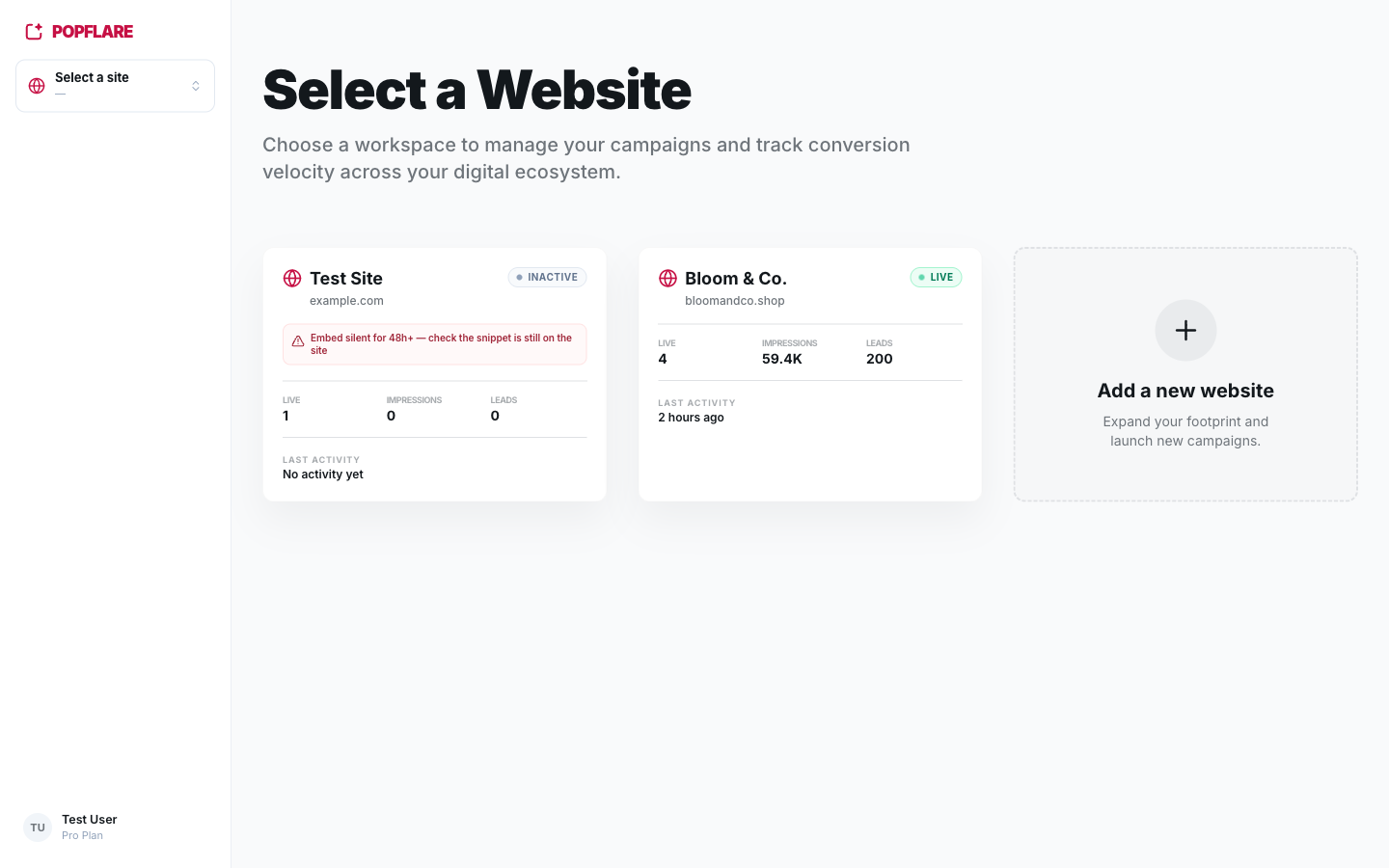
A site is one website, identified by its main domain (for example bloomandco.shop).
Every campaign, lead and integration belongs to a site. If you run several brands, add one site per
brand and switch between them with the site switcher at the top of the sidebar.
Good to know
Staging environments and country versions of the same website (.de, .it…) do not need a separate site: add them as allowed domains.
3. Install the embed snippet
Open Settings → Embed Code and copy the script tag. Paste it before the closing </body> tag on every page of your website (or add it through your tag manager).
<script defer src="https://pop-flare.divbyzero.ai/pf.js" data-site="YOUR_SITE_KEY"></script>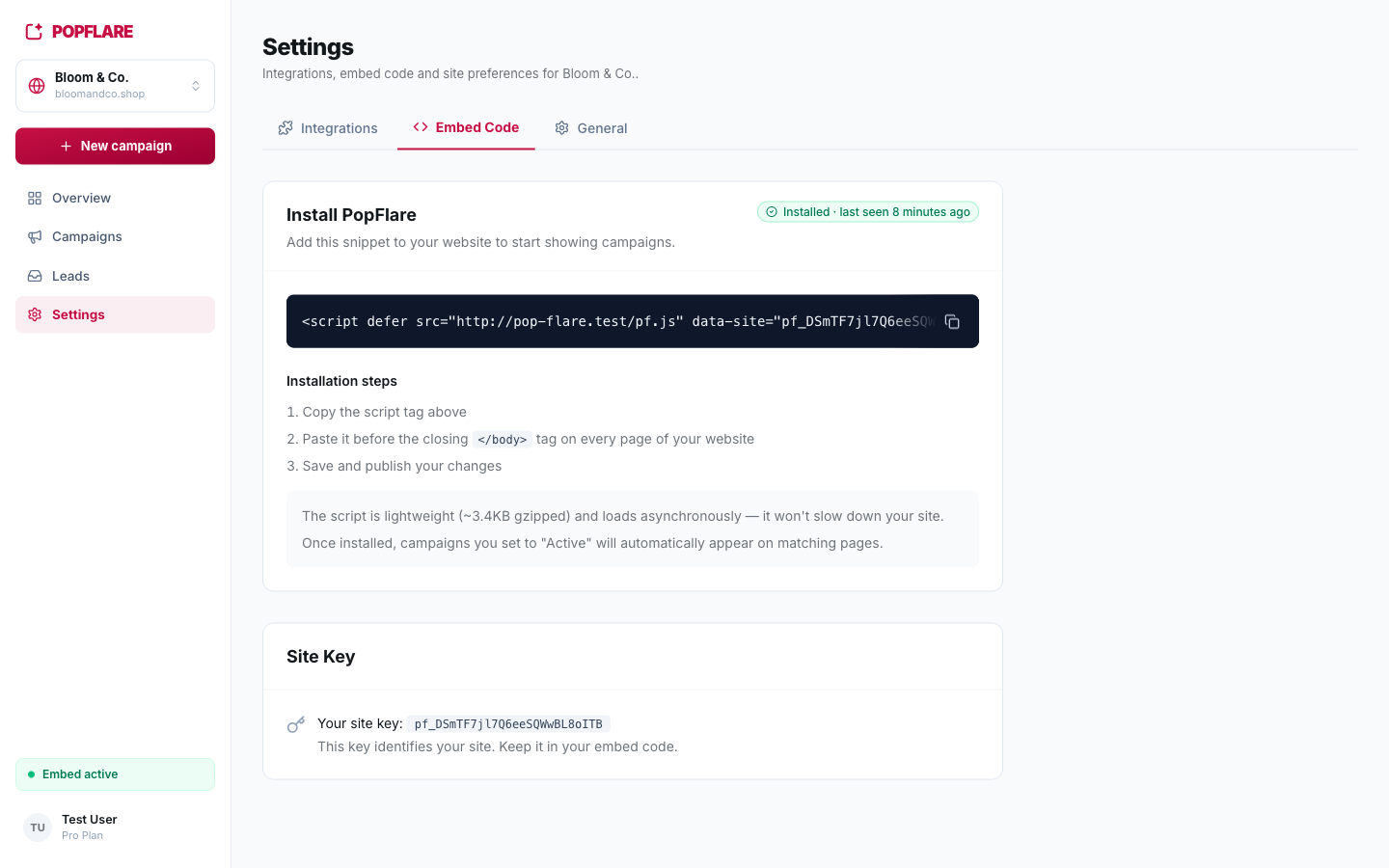
- The script is about 3–4 KB gzipped, has no dependencies and loads asynchronously, so it never blocks your page.
- Once installed you never touch the code again: activating, pausing or editing a campaign takes effect on the site automatically.
- The sidebar shows Embed active when the snippet has been seen recently.
4. The overview dashboard
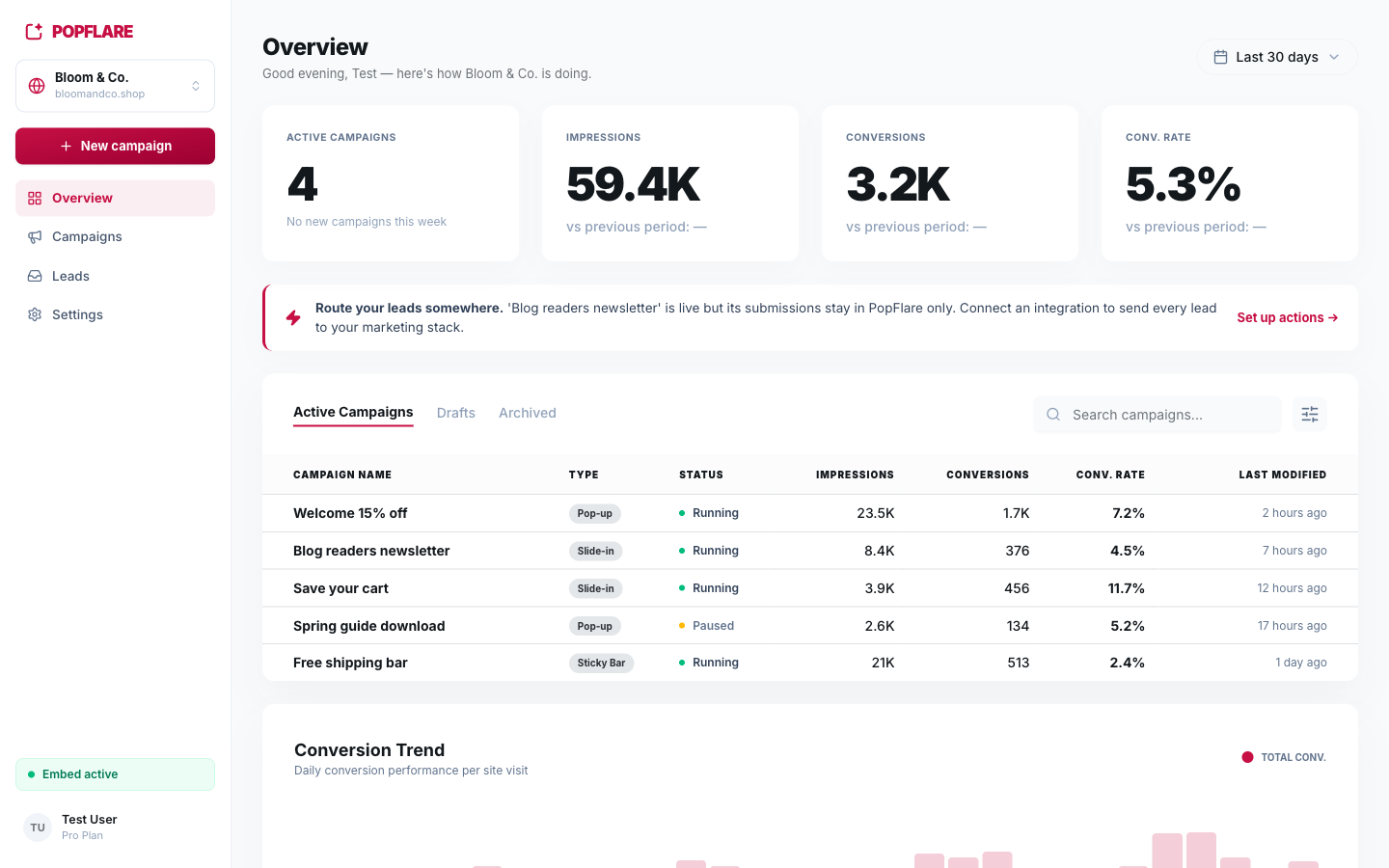
Overview summarises the site: active campaigns, impressions, conversions and conversion rate for the selected period (7, 30 or 90 days), compared with the previous period. Below them you will find every campaign with its numbers and a daily conversion trend.
Tip
If a live campaign collects leads without sending them anywhere, the overview warns you with a Route your leads somewhere banner and a shortcut to set up actions.
Next
Continue with creating your first campaign.